Browse documentation
Toolbar, sidebar, and status bar
Build application chrome from horizontal tools, vertical navigation, and compact status.
Import
Load the optional component layer before using the examples below.
Ruby
require "zaniah/ui"Application chrome
Each container accepts children. Sidebar also accepts a width.
Rendered example
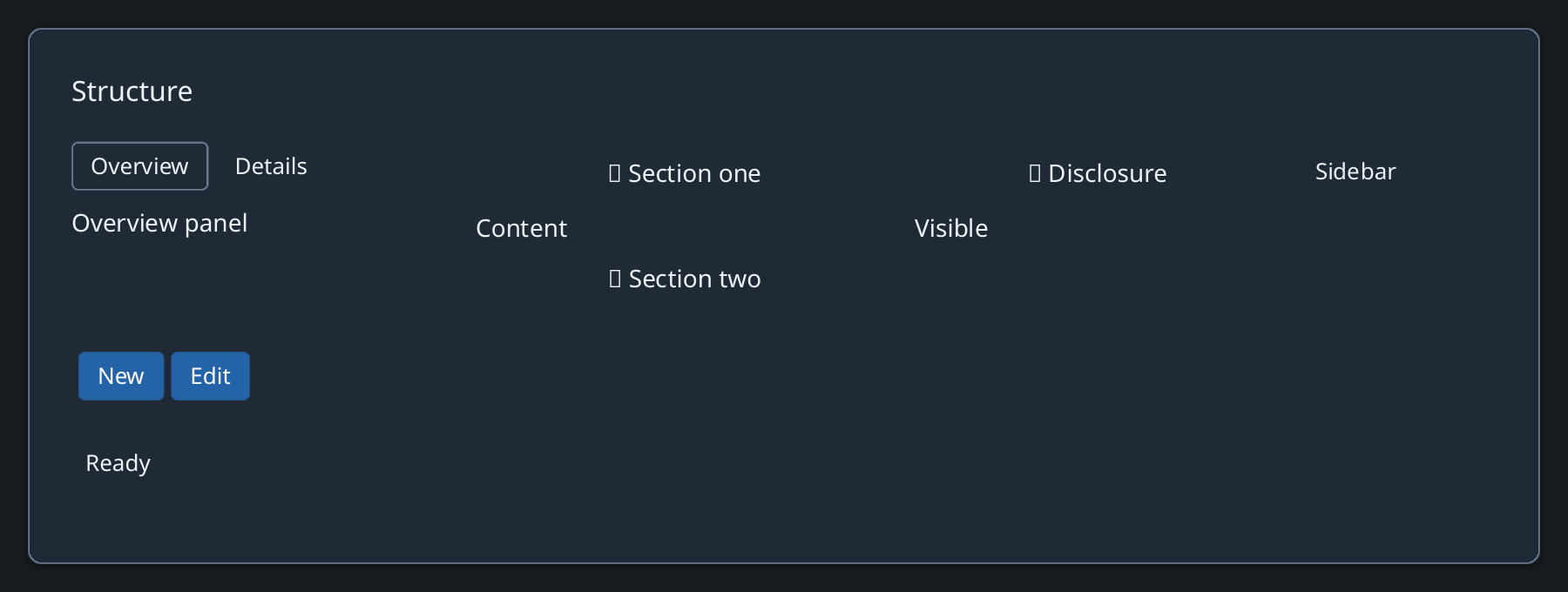
Ruby
Zaniah::UI::Toolbar.new(
  Zaniah::UI::Button.new("New"),
  Zaniah::UI::Button.new("Edit"))
Zaniah::UI::Sidebar.new(
  Zaniah::UI::Label.new("Files"), width: 180)
Zaniah::UI::StatusBar.new(Zaniah::UI::Label.new("Ready"))
API summary
Constructor options and behaviors are drawn from the component reference.
| Component | Constructor and methods | Variants or behavior |
|---|---|---|
Toolbar | (*children), child | horizontal |
StatusBar | (*children), child | horizontal |
Sidebar | (*children, width:), child | vertical |
Accessibility
Toolbar, sidebar, and status bar expose toolbar, navigation, and status roles respectively.
| Component | Semantic role |
|---|---|
Toolbar | toolbar |
StatusBar | status |
Sidebar | navigation |