Browse documentation
Hexadecimal bytes
Inspect binary data with synchronized hexadecimal and ASCII selection.
Import
Load the optional component layer before using the examples below.
Ruby
require "zaniah/ui"Byte selection and highlights
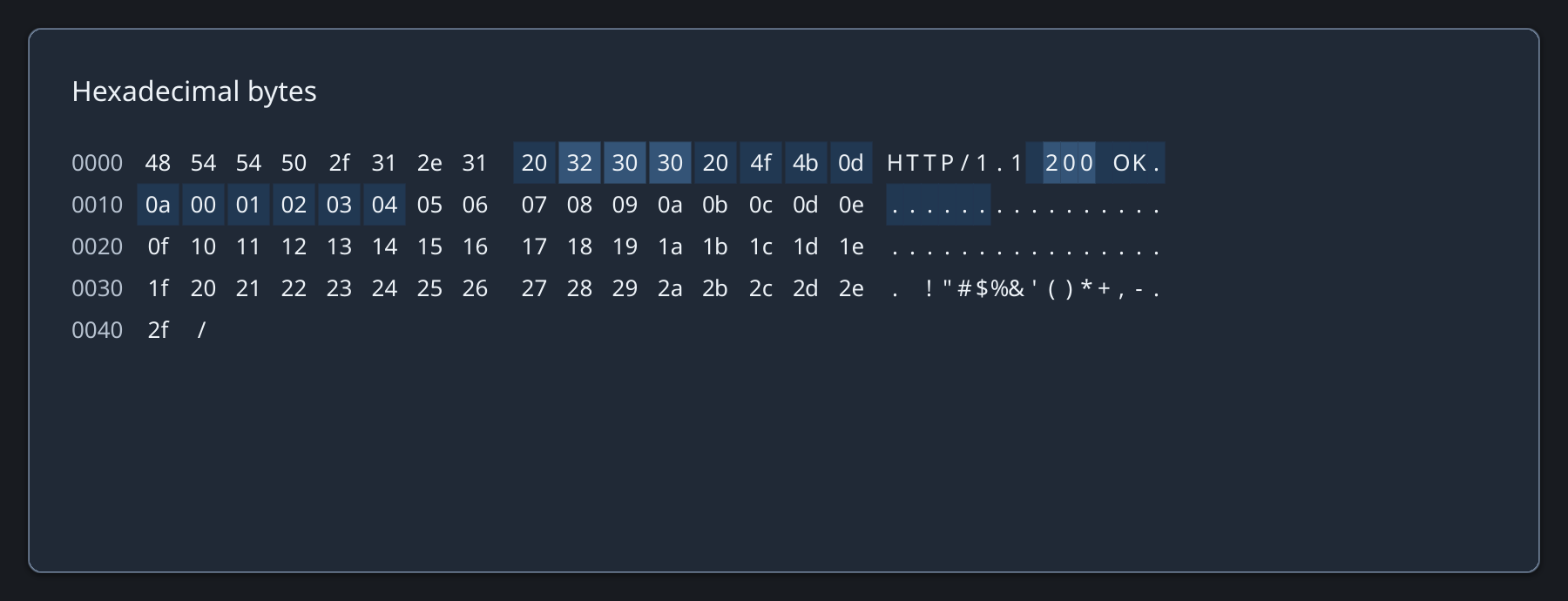
HexView instantiates only visible rows. Select by clicking or dragging either byte column, or use arrows, Shift+arrows, Page, Home, and End. Control bytes display as dots.
Rendered example
Ruby
hex = Zaniah::UI::HexView.new(bytes, bytes_per_row: 16,
  group: 8, offset_digits: 4)
hex.highlights = [{range: 14...34, tone: :secondary}]
hex.on_select { |range, cx| inspect_bytes(range) }
hex.on_copy { |range, cx| {"text/plain" => bytes.byteslice(range)} }
hex.scroll_to_offset(22)
API summary
Constructor options and behaviors are drawn from the component reference.
| Component | Constructor and methods | Variants or behavior |
|---|---|---|
HexView | (bytes, bytes_per_row:, group:, offset_digits:, height:); highlights=, select, scroll_to_offset | viewport rows; synchronized hex/ASCII selection and copying |
Accessibility
Visible byte rows expose offset labels; the group reports total bytes and the selected byte range. Copy defaults to space-separated hexadecimal text.
| Component | Semantic role |
|---|---|
HexView | group |