Izar reviews and stages changes in an existing Git repository. Use its terminal
workspace, native window, or individual commands. Repository operations run in
Ruby through Thuban and Porrima without invoking the git executable.
Install Izar
You need Ruby 3.2 or newer and a Git repository with a working tree. Install the gem:
gem install izar
The interactive terminal workspace needs a terminal for both input and output. The native window uses Zaniah’s macOS, Linux, or Windows backend and needs a working desktop environment. If that backend cannot open, Izar falls back to the terminal workspace. See workspace modes.
For a source checkout, install the dependencies with bundle install and run
bundle exec exe/izar from the checkout directory.
Open your first repository
Change to the root of a repository you already work on:
cd /path/to/project
izar status
Replace /path/to/project with your repository directory. Izar shows your branch,
three change groups, and a diff for the first changed path:
| Group | Contains |
|---|---|
| Staged | Changes already in the index, ready to commit |
| Unstaged | Tracked files whose working-tree content differs from the index |
| Untracked | New files that are not in the index |
A partially staged file can appear in both Staged and Unstaged. The displayed diff compares the index with the working tree; a fully staged file may therefore have an empty diff. Use the Ruby API when you need a HEAD-to-index diff.
To open the interactive terminal workspace:
izar status --tui
Use j and k to move between paths. Press Space to stage the selected file,
then q to exit. The workspace guide explains hunk staging, filtering,
commit messages, and discard confirmation.
To open a native window instead:
izar status --gui
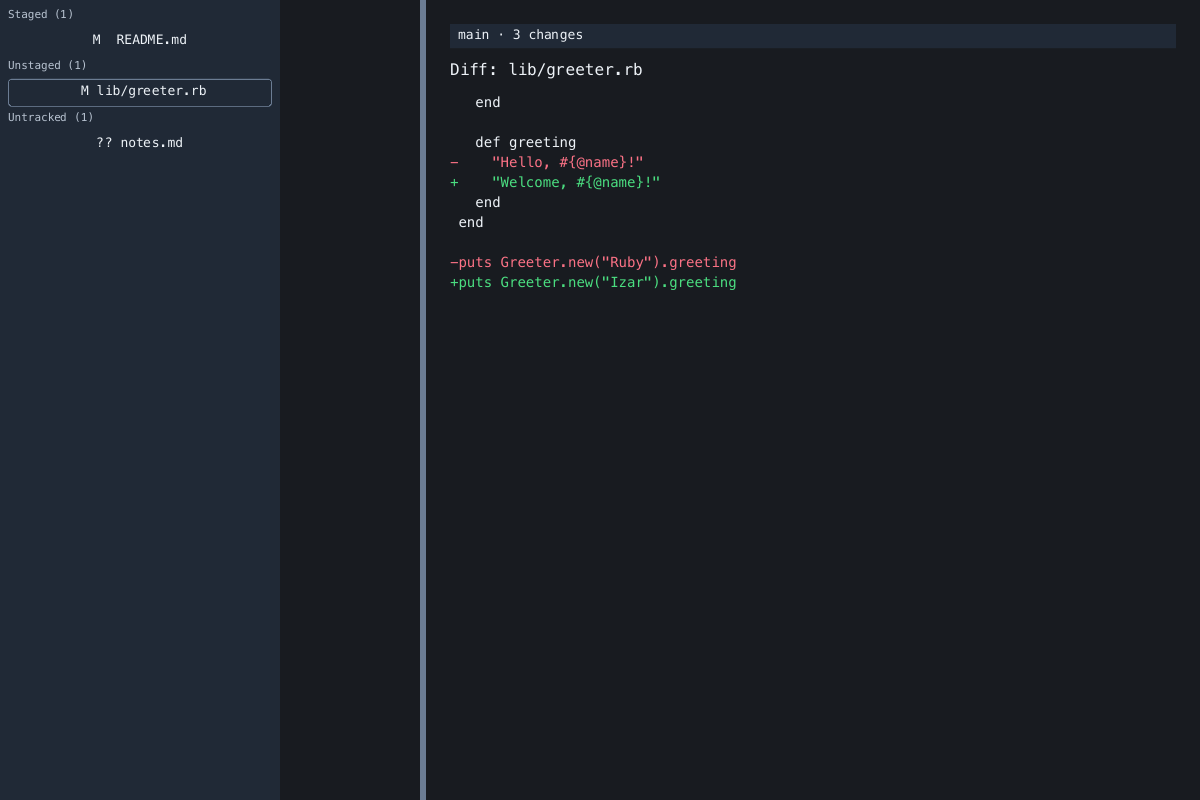
The screenshot shows the native workspace with example repository changes.
Stage and commit a change
After editing a tracked file, substitute its repository-relative path for
README.md:
izar stage README.md
izar status
izar commit -m "Update project notes"
stage copies the current file content into the index. commit creates a local
commit from all staged changes. It requires a non-empty message and at least one
staged change. Izar does not push commits to a remote.
To move the file out of the next commit while keeping your working-tree edits:
izar unstage README.md
Use -C to work with another repository without changing directories:
izar status -C ../project
Paths passed to stage, unstage, and discard are relative to that repository’s
root, including when you launch Izar from a subdirectory.
Troubleshooting
| Symptom | What to do |
|---|---|
not a Git repository |
Change into a repository or pass its directory with -C. |
Git author identity is missing or Git committer identity is missing |
Set your repository’s user.name and user.email, or the corresponding Git author and committer environment variables. |
nothing staged |
Stage a changed file before committing. |
commit message cannot be empty |
Supply a message with -m, or enter one at the terminal prompt. |
discard requires confirmation |
Review the discard behavior before using --yes. |
| Configuration error | Check the field names and value types in configuration. |
| A native window does not open | Run izar status --tui in an interactive terminal. |
--tui prints a snapshot and exits |
Run it with terminal input and output rather than through a pipe or redirected file. |
For example, configure your own commit identity with Git:
git config user.name "Your Name"
git config user.email "you@example.com"
Continue with reviewing and staging changes, configuration, or the Ruby API.