Auva turns a JSONC design-token file into a Zaniah theme. Use it to inspect colors in a desktop window, check text contrast, and export PNG theme sheets.
Install
You need Ruby 3.2 or newer:
ruby --version
gem install auva
The desktop preview uses Zaniah’s native backend for macOS, Linux, or Windows. It needs a working desktop session; see Zaniah’s native-backend requirements. Contrast checks and PNG export can run without a desktop window.
Create your first token file
Save this as tokens.jsonc:
{
  // Keep the light theme's defaults, then change the accent.
  "extends": "light",
  "colors": {
    "accent": "#245b9b"
  },
  "motion": {
    "reduced": true
  }
}
Comments and trailing commas are accepted. Unspecified tokens keep their values from the base theme, so you can start with a small file.
Open and check the theme
Run this in a terminal attached to your desktop:
auva tokens.jsonc
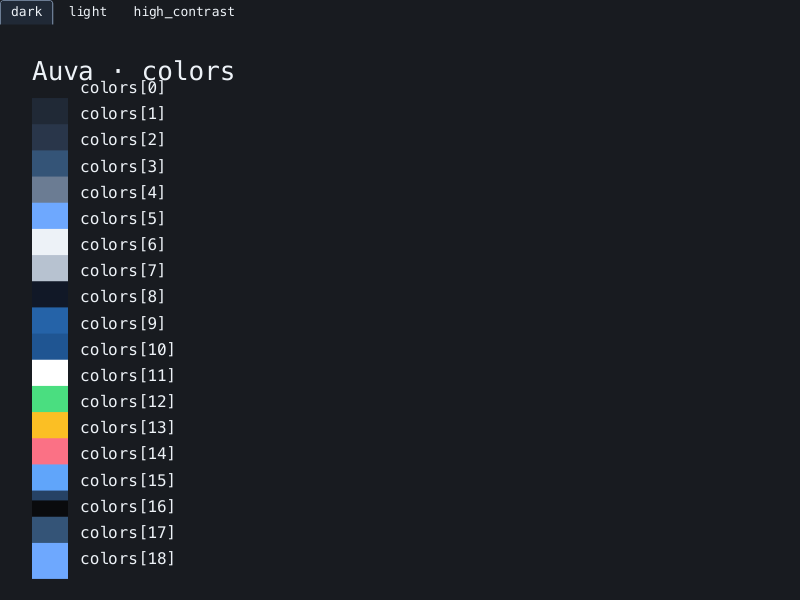
The window shows color swatches. Edit the file in your usual editor and save it to reload the preview. Auva previews the file; it does not edit it.
Close the window, then check the six built-in text/background pairs:
auva tokens.jsonc --check --strict
Each line contains a contrast ratio and AA, AAA, or FAIL. The command
returns a nonzero exit status if a pair fails AA or the token file is invalid.
See Contrast checks for the thresholds and checks covered.
To save all eight preview sheets:
auva tokens.jsonc --export theme-sheets
Open theme-sheets/colors.png or another sheet in your image viewer.
Preview and export explains the categories and theme tabs.
If something goes wrong
| Symptom | What to check |
|---|---|
token file not found |
Use the file’s correct path. Quote paths that contain spaces. |
unknown token or invalid value |
Read the reported line and token path, then compare with Design tokens. |
preview unavailable |
Check the native-backend requirements. Use --check or --export to continue without a window. |
Only loaded 1 theme(s) appears |
Run from an interactive terminal. Redirected output does not open a window. |
| The preview keeps its previous colors | Check the saved file with auva tokens.jsonc --check; an invalid update keeps the last valid theme. |
Continue with Design tokens to customize typography, spacing, shadows, and syntax colors.